
vitrobot
This is an old revision of the document!
Table of Contents
Vitrobot procedure
The VitrobotTM (Vitrification Robot) is a fully PC-controlled device for vitrification (= rapid cooling) of aqueous samples
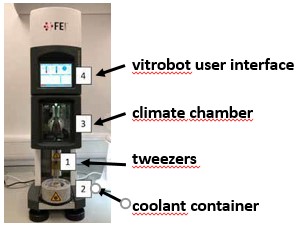
Before starting
- fill a dried 5 L tank with liquid nitrogen
- label the grid boxes
- check a number of points:
- plasma cleaner is reserved
- EM_grids grids are available and present in sufficient number
- all part of the coolant container are dry
- close climate chamber's door if open
- Paper filter clipping ring are not missing
Starting up the vitrobot
-
- The Vitrobot User Interface page will appear after a few seconds.
- Console page is dedicated to set humidity and temperature parameters
- options page is dedicated to set blotting process parameters
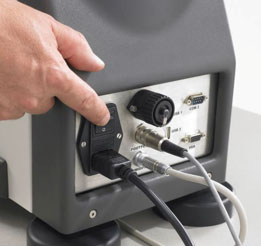
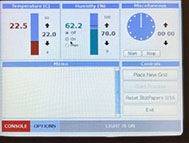
- 2. Make sure the humidifier is operational
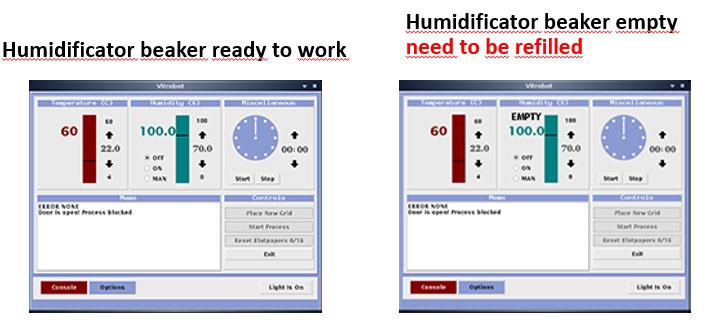
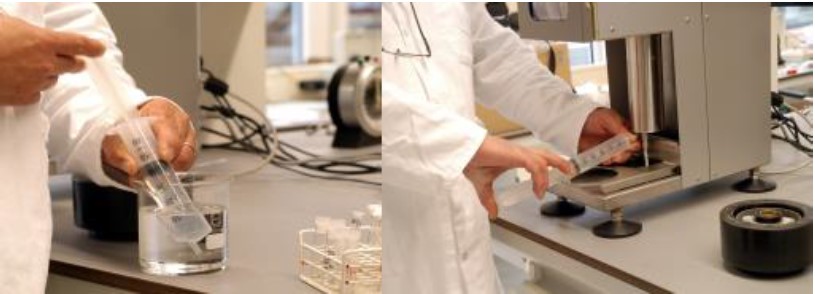
-
- the white latch remains in open position after swith on the power.
Set humidity and temperature parameters in climate chamber
This step is done on the control panel, in the options page
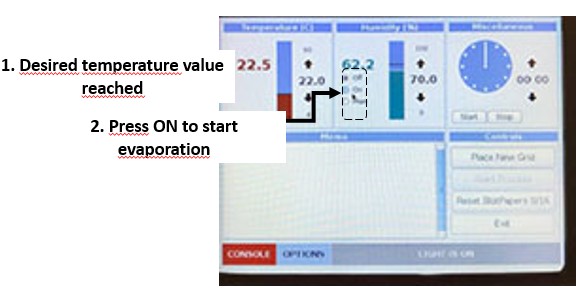
- 1. adjust desired temperature value
- 2. adjust desired humidify value
- 3. wait until desired temperature is reached


load grids inside the plasma cleaner
-
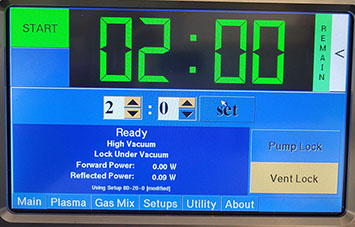
- fishione started with chamber locked under vaccum
- READY / HIGH VACCUM messages
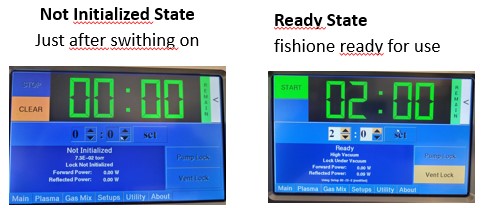
- 2. press Vent Lock to bring the chamber under atmospheric pressure
- State is reached when message Lock At Atmosphere appears
From now on IMPERATIVELY wears gloves
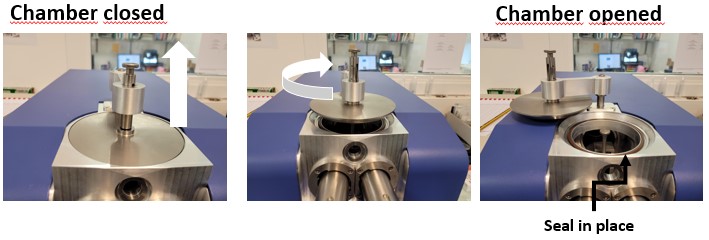
-
- the metallic drawer is ALWAYS stored in the chamber
- 5. close the door to prevent dust contamination inside the chamber
-
- generally sets of 4 to 8 IDENTICAL grids are loaded simultaneously
- 8. put back in place the metallic drawer inside the chamber
- on the plateform NOT on the inlet pump
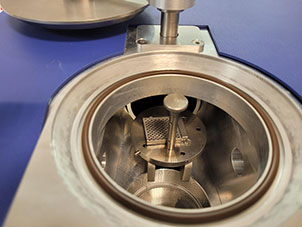
- 10. press VACCUM to bring the chamber under vaccum
- State reached when message “HIGH VACCUM” appears
- 11. if not yet done on vitrobot, enable the humidity switchbox to start
Assemble different part of the coolant container like showing below

Cooling down the coolant container
- 1. Pour LN2 into both central ethan cup and outer part to faster the cooling
- 2. Wait for complete evaporation of the remaining nitrogen in the central part
- 3. up to now continously fill the outer part to maintain the Nitrogen level
- 4. wait 10 to 15 min for system to equilibrate
* 8. place grid box into the grid storage device
Mounting the filter papers
- IMPORTANT always wears gloves
- place blot papers onto the blotting pads with clipping ring
- support the blotting arms during assembling to prevent damage to the arms
plasma clean grids
- Grids are already loaded inside the plasma cleaner
- set desired plasma cleaning parameters :gas mixture/gas flow power
- adjust the plasma cleaning time with up/down arrows head and press set
- commonly 90 s are used
- press START to apply plasma on grids
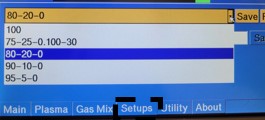
Set blotting process parameters
Set freezing condition
- 1. press place new grid
- 2. Attach Vitrobot tweezers with a grid onto the plunge rod
* Now vitrobot is ready for freezingbeforeDo it when you are almost ready to freeze to keep the soaking time as reproducible as possible
====== At this point already is ready for freezing ======
  At this point already is ready for freezing:
  climate chamber is equilibrated in temperature and humidity.
  Filter paper are mounted and soaking time is controlled
  ethane is liquefied
  Grids are loaded and ready to be plasma cleaned
Preparation of the grid
3. Bring the vitrobot to hermetically close the chamber
- do the following dry Run:
- A glow discharge grids is attached to the twezzers
Start freezing
* ++ Do it when you are almost ready to freeze to keep the soaking time as reproducible as possible|<div>
Decrire
Mounting the filter papers, IMPERATIVELY wear gloves
vitrobot.1673531940.txt.gz · Last modified: (external edit)